Refinements
Build a Planning Poker session from the backlog, sprints or a Kanban board, and run it issue by issue
Updated
A refinement is a named list of issues the team is going to estimate together. You build it before the meeting, from the backlog, from sprints or from a Kanban board, and then run Planning Poker on each issue from inside the list.
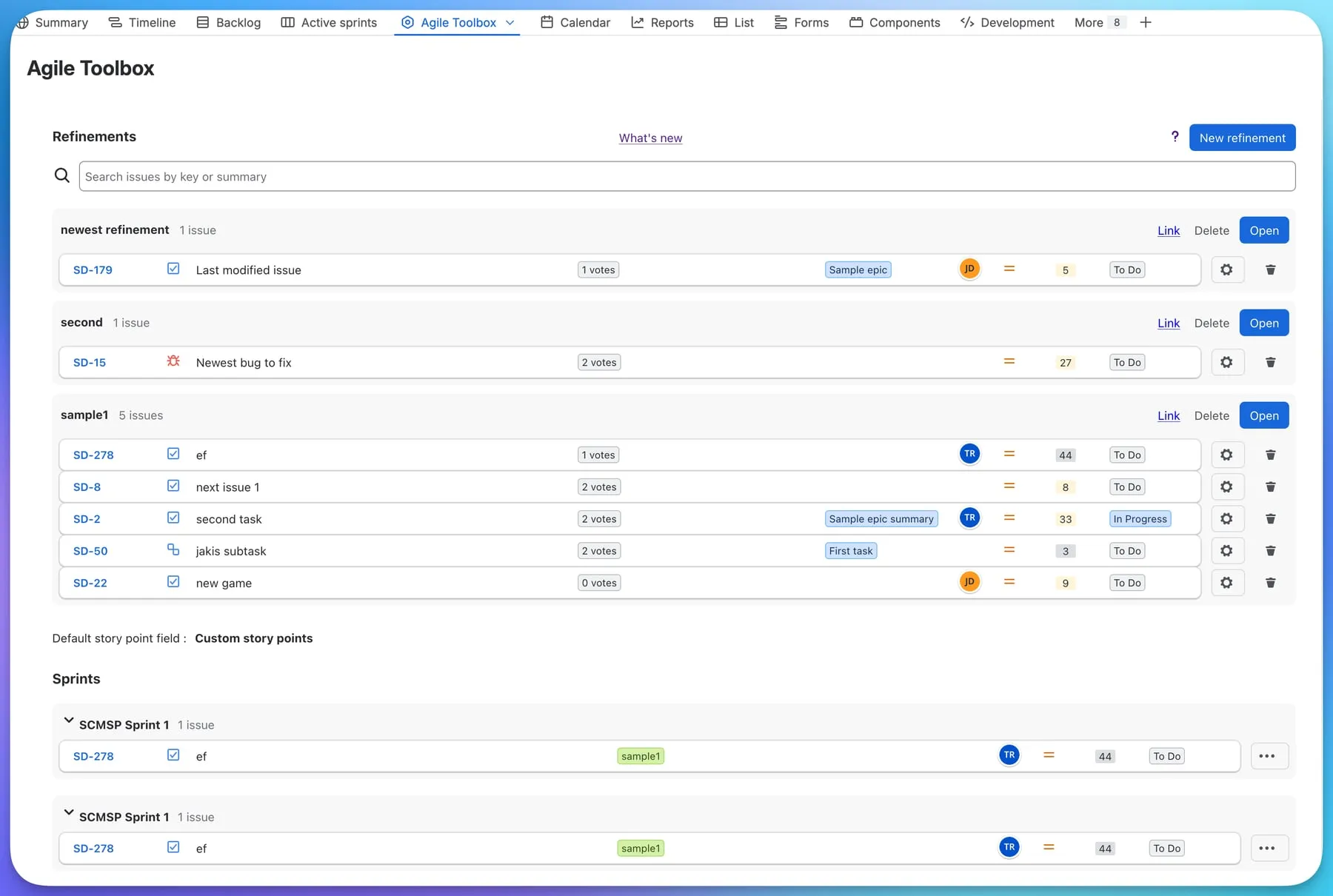
The Refinements view
Open the Agile Toolbox page on a project and stay on the Refinements tab. From top to bottom you see:
- A search box that filters refinements, sprints and the backlog by issue key or summary. The result line tells you how many issues matched and how many have not been loaded yet; press Load more and keep searching to continue.
- Your refinements, newest first. Each header shows the name and the issue count, with Delete and Open on the right.
- The default story point field for this board, so you know where estimates will be saved.
- The board’s sprints (Scrum) or board issues (Kanban), and the backlog, each collapsible.
Every issue row shows the key, the summary, the epic, the assignee, the current estimate and the status. Inside a refinement, a row also shows a live votes badge and a configuration cog. The cog is amber while the issue has no room configured yet; hover it to see the current deck and estimation method.
Building a refinement
- Press New refinement and give it a name. You can rename it later by clicking the name.
- Scroll down to a sprint, the backlog or the Kanban board issues, open the … menu on an issue and choose the refinement to add it to.
- Or, from any issue view, press the … actions menu and pick Add to refinement. A dialog lets you choose the board and the refinement, or create a new one. Issues already in a refinement are marked as such.
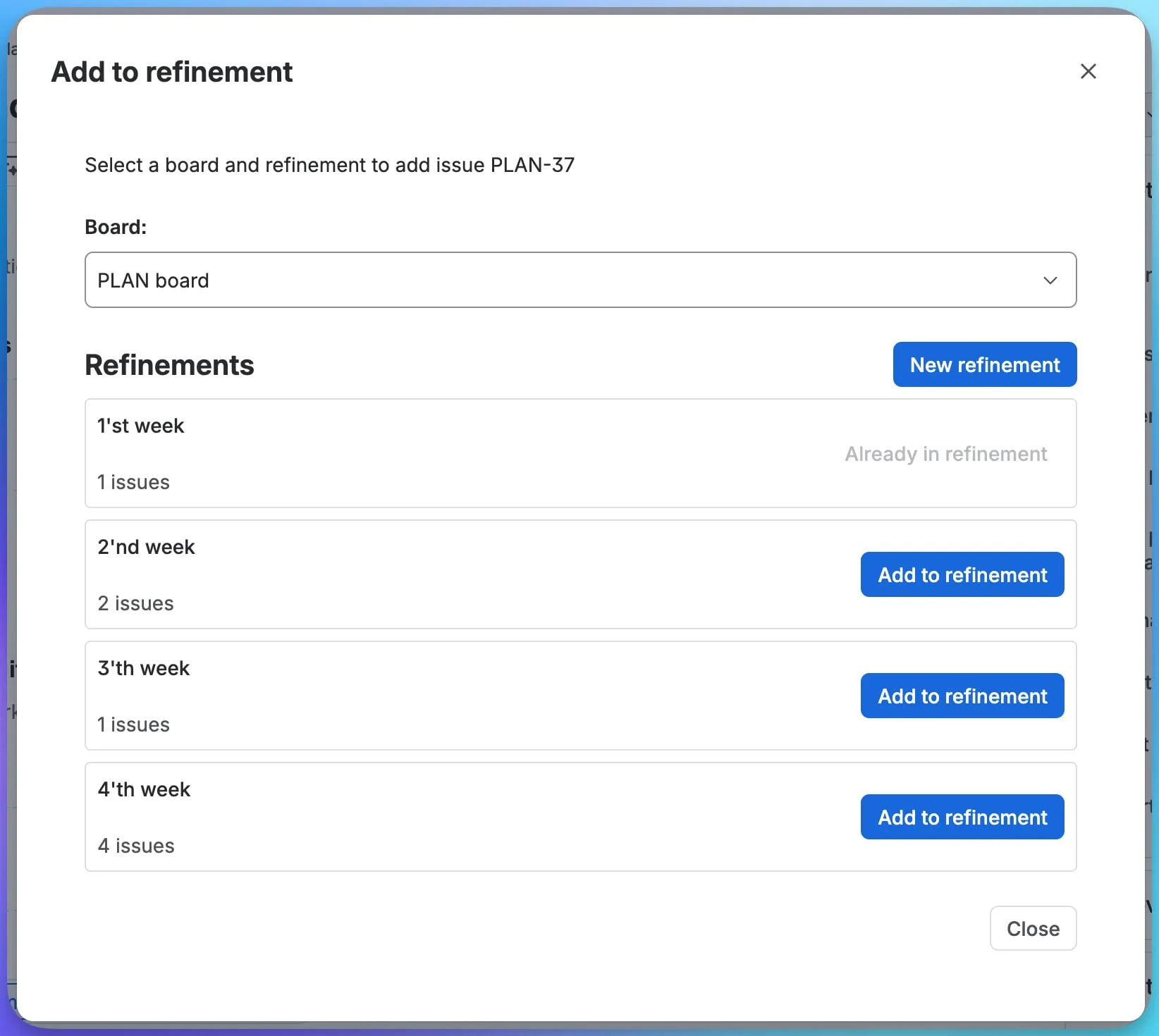
Issues can be dragged to reorder them inside a refinement, or dragged from one refinement into another.
Sorting and hiding
Under the backlog and the Kanban board issues, pick the field to sort by, the direction and the page size. The choice is saved for the board, separately for the backlog and for board issues. Sprints and the backlog can be collapsed, and the app remembers what you collapsed.
Running the session
Press Open on a refinement. Each issue becomes an expandable row: expand one, and the Planning Poker room for that issue appears in place, with the deck, the timer, the team and the reveal button. Estimating an issue describes the room in detail.
The room for each issue is configured separately, with the cog on its row, or by pressing Change settings inside the room. Save your preferred configuration as a default so every new room starts from it. See Room configuration.
Deleting a refinement
Delete on the refinement header removes the list and the rooms that belonged to it. The Jira issues themselves, and any story points already saved to them, are not touched.